 dirtClaude·AI
Log in
dirtClaude·AI
Log in
Modernizing Subsurface Geology Data Analysis
Table of Contents
- What Modernizing Subsurface Geology Data Analysis Actually Requires
- Step 1: Audit Your Field Data, Borehole Records, and Legacy Archives
- Step 2: Legacy Geological Data Digitization and Interoperability
- Step 3: Geological Data Quality Control and Provenance Tracking
- Step 4: Integrate GIS, Remote Sensing, and Geophysical Data
- Step 5: Build 3D Geological Mapping and Subsurface Models
- Step 6: Apply Machine Learning in Geology for Targeting and Interpretation
- Step 7: Validate Results and Measure Outcomes Against Your Baseline
- Frequently Asked Questions
Last Updated: October 19, 2026
What Modernizing Subsurface Geology Data Analysis Actually Requires
Modernizing subsurface geology data analysis means moving field notes, borehole records, maps, and geophysical data into one connected digital system you can query, model, and trust. At dirtClaude.ai, we build AI-powered prospecting maps that pull 150 years of geology, claims, and gold records into one searchable format, fewer hours in archives, more time targeting ground worth staking.
Most teams buy a new tool and keep the old mess underneath it.
Real modernization runs in sequence: audit, digitize, control quality, integrate, build 3D models, add machine learning, then validate against a baseline. Skip a step and the model looks sharp but tells you nothing reliable.
Below are all seven steps, including the parts most guides skip: legacy migration, data provenance, and proving the work paid off.
Step 1: Audit Your Field Data, Borehole Records, and Legacy Archives
A full audit takes a few days and saves months of confusion.
List every source you can find:
- Field notebooks and scanned maps
- Borehole logs and drill records
- Assay results and lab sheets
For each item, record format, condition, location, and whether it has a known coordinate system. Old maps rarely share one datum, and mismatched coordinates quietly corrupt every downstream model.
Score each source as high, medium, or low priority. High means it covers ground you are actively exploring. Low means it is background only.
Step 2: Legacy Geological Data Digitization and Interoperability
Digitization converts paper maps, scans, and spreadsheets into structured digital records software can read, query, and combine. Interoperability means those records can talk to each other across systems and formats.
Legacy geological data digitization projects usually stall here: teams scan everything into image files and call it done. Images are not data, you cannot query an image.
Migrating Paper Maps, Scans, and Spreadsheets
Work in this order:
- Scan at high resolution and name files by location and date
- Georeference scanned maps so they align to real coordinates
- Trace key features into vector layers
- Move spreadsheet records into a database with defined fields
- Store the original scan alongside the digitized version
Keep the source file. Provenance matters, and you will need the original when a number looks wrong.
Step 3: Geological Data Quality Control and Provenance Tracking
Geological data quality control checks accuracy, completeness, and consistency before data enters your models. Provenance tracking records where each value came from, who entered it, and when.
Run these checks on every batch:
- Coordinate ranges fall inside the project boundary
- Depth units match across all sources
- Duplicate borehole IDs are merged or flagged
A record without provenance is a guess wearing a lab coat. When two borehole logs disagree, provenance tells you which to trust.
Step 4: Integrate GIS, Remote Sensing, and Geophysical Data
Integration combines spatial data, imagery, and survey results into one coordinate system so layers stack cleanly; a geographic information system (GIS) holds and analyzes those layers. It is really a reconciliation problem: every source arrives with its own datum, projection, resolution, accuracy, and units, and the job is to make those differences explicit before any layer is stacked.
The four reconciliation checks before any layer is stacked
Run these in order. Each one catches a class of error that will otherwise masquerade as a geological feature.
- Datum and projection. Confirm every layer's horizontal datum (for example, NAD83 vs. WGS84) and vertical datum (for example, NAVD88 vs. mean sea level). A horizontal mismatch of even a few meters shifts a borehole collar off its intended location; a vertical mismatch changes every depth you interpret. Reproject to one project CRS and record the source CRS in metadata.
- Resolution and scale. Satellite imagery, drone orthomosaics, and regional geophysical grids rarely share a ground sample distance. Downsampling a 5 cm drone surface to a 30 m regional grid destroys the detail you paid for; upsampling a coarse grid invents precision that does not exist. Decide the analysis scale first, then resample only in that direction.
- Accuracy and uncertainty. A handheld GPS fix, a surveyed collar, and a georeferenced 1950s paper map carry very different positional uncertainties. Attach an accuracy estimate to each source and weight interpretations accordingly. A layer with unknown accuracy should be flagged, not silently merged.
- Units and conventions. Depth below collar vs. depth below surface, meters vs. feet, magnetic vs. gravity sign conventions, and assay units (ppm vs. g/t vs. oz/t) all need a single project standard. Convert once, at ingestion, and log the conversion.
Source-by-source integration notes
- Satellite and aerial imagery, useful for regional structural mapping and access, but cloud cover, season, and sensor differences change what you see. Keep acquisition dates in metadata.
- Drone surveys, the highest-resolution surface data most teams will own. Photogrammetry and LiDAR outputs need ground control points to be georeferenced to survey accuracy; without them, the surface looks precise but is not.
- Seismic data, the primary tool for subsurface structure interpretation below the reach of drilling. Seismic arrives in its own coordinate and time/depth domain; tie it to boreholes with checkshots or synthetic ties before interpreting horizons.
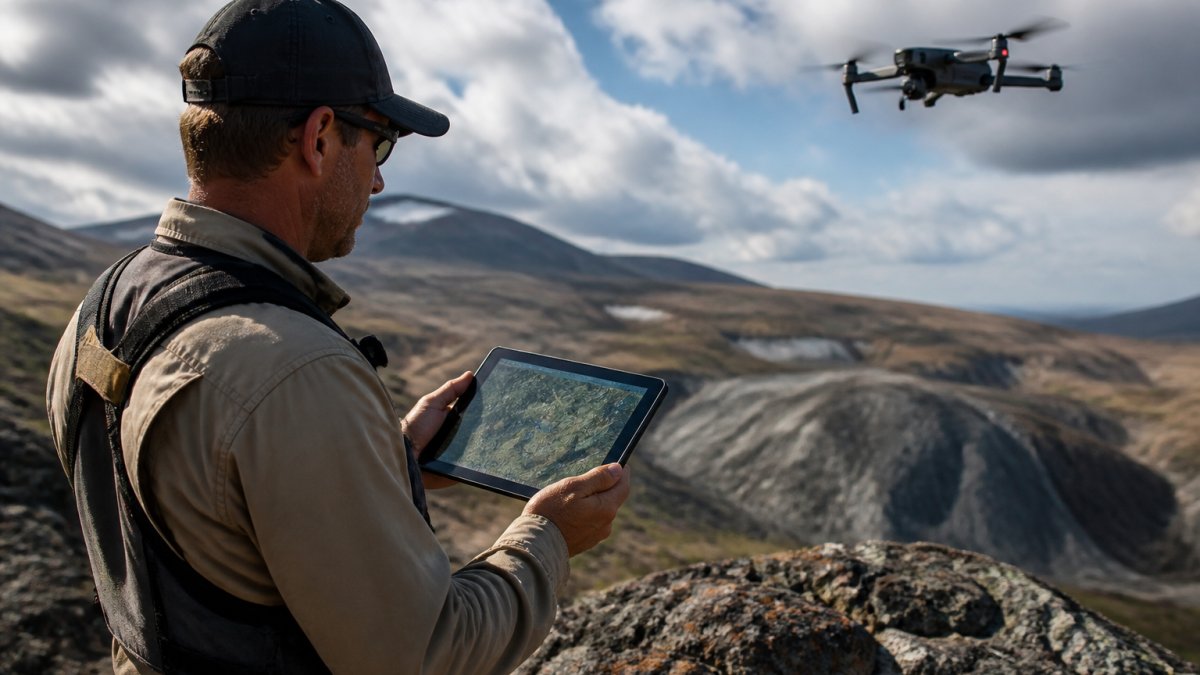
Drones have changed field efficiency more than any other tool in the last decade, a single flight can cover ground that once took a crew days on foot, but only if the output is georeferenced and reconciled like every other layer.
Tool-selection trade-offs
No single platform does everything well. A neutral way to choose:
- Desktop GIS, strong for 2D mapping, layer management, and cartographic output; weaker for true 3D volume modeling.
- 3D geological modeling software, strong for implicit surface building and section interpretation; usually a separate environment from your GIS, so plan the exchange format.
- Cloud platforms, strong for collaboration, versioning, and large-file sharing across teams; require governance decisions about access and data residency before adoption.
A common pattern: GIS as the system of record for spatial layers, a 3D modeler for interpretation, and a cloud store for sharing, with a documented exchange format (for example, GeoPackage, LAS/LAZ, or SEG-Y) between them.
Integration validation
Before modeling, confirm every layer carries source CRS, accuracy, and acquisition date in metadata; a known ground-truth point (a surveyed collar or benchmark) lands within tolerance on every layer; and no layer was resampled finer than its native resolution. If any check fails, fix it here, Step 5 will only amplify the error.
Step 5: Build 3D Geological Mapping and Subsurface Models
3D geological mapping turns flat layers into a volume you can slice, rotate, and test by combining surface maps, borehole data, and interpreted cross-sections into one model. What separates a decision-supporting model from an impressive-looking one is quantified uncertainty and traceable inputs.
The build workflow, with the decisions that matter
- Load digitized boreholes with depth and assay values. Confirm collar coordinates, downhole survey (if any), and depth reference before loading. A borehole with an unverified collar is a vertical line in the wrong place.
- Import interpreted cross-sections. Sections are interpretations, not data. Tag them as such so the model can distinguish measured from inferred geometry.
- Interpolate surfaces between known points. Choose the method deliberately:
- Explicit surface building (manual wireframing) gives the interpreter full control and is defensible in review, but is slow and interpreter-dependent.
- Implicit modeling (for example, potential-field or radial-basis-function approaches) builds surfaces from combined data and is faster and more reproducible, but its output is only as good as the constraints and the chosen parameters.
- Geostatistical methods (for example, kriging) provide an explicit uncertainty estimate alongside the surface, which is valuable when you must communicate confidence to partners or regulators.
- Check the model against known outcrops and drill intercepts. Hold back a subset of boreholes as a blind test: build the model without them, then see how well it predicts them. This is the single most useful validation step and the one most often skipped.
- Refine until the geometry matches reality, and record each refinement. Every change should be a version with a note on what data or interpretation drove it.
Quantifying and communicating uncertainty
A 3D model without uncertainty is a claim, not an analysis. Practical ways to express it:
- Data density maps, show where the model is constrained by drilling and where it is interpolated over long distances.
- Confidence volumes, classify the model into measured, indicated, and inferred zones, mirroring the resource-classification logic most practitioners already understand.
- Scenario models, build two or three plausible interpretations where data is sparse, and show how targets change between them. If a target survives all scenarios, it is robust; if it appears in only one, it is a hypothesis.
3D visualization reveals subsurface structures you would miss on a flat map, faults, folds, and ore-bearing horizons become shapes rather than scattered points, but only if the viewer can also see where the model is guessing.
Versioning and provenance in the model
Keep the model versioned. Each update should record which data went in, which interpreter built it, which interpolation method and parameters were used, and what changed. Store the model file with its input manifest so a reviewer can rebuild it, otherwise it becomes an orphaned artifact the moment its author leaves.
Validation KPIs for the model
Measure the model, not just the workflow:
- Blind-test prediction rate, percentage of held-back boreholes whose intercepted geology the model predicted correctly.
- Surface misfit, average vertical distance between modeled and observed contacts at control points.
- Constrained vs. interpolated volume, proportion of the model volume supported by data within a defined distance.
If these checks pass, the model is ready to feed Step 6, and if they fail, fix the data or the method before adding machine learning on top.
Step 6: Apply Machine Learning in Geology for Targeting and Interpretation
Machine learning in geology uses algorithms to find patterns across large datasets that manual review would miss. It does not replace geological interpretation.
Useful applications include:
- Ranking targets by similarity to known deposits
- Filling gaps in sparse datasets
- Classifying rock units from geophysical signatures
Feed the model clean, well-documented data. Garbage in, confident garbage out. A model trained on unverified records will produce targets you cannot defend.
Treat machine output as a hypothesis. A geologist still has to check it in the field.
Step 7: Validate Results and Measure Outcomes Against Your Baseline
Validation proves the work paid off. Measure against the baseline you recorded in Step 1.
Track these outcomes:
- Time from question to answer
- Percentage of records with full provenance
- Number of targets generated per project
If field confirmation improves and time-to-answer drops, modernization worked. If not, find the weak step and fix it.
The hard part is not buying software. It is turning decades of scattered records into data you can trust and query fast.
dirtClaude.ai handles that synthesis for you. Our platform pulls 150 years of geology, claims, and gold records into AI-driven prospecting maps, so you can analyze complex historical data in seconds.
Get started with dirtClaude.ai and prospect with the precision of a dedicated geology department.
Frequently Asked Questions
How do you modernize subsurface geology data analysis?
Start with an audit of every data source you hold: field notes, borehole records, paper maps, and spreadsheets. Digitize and standardize those records, then load them into a GIS so spatial data lives in one place. Add 3D geological mapping to build subsurface models, apply machine learning where you have enough clean training data, and run quality control checks at each stage. The order matters: cleaning data before modeling prevents errors from compounding downstream.
What data is needed to build a 3D geological model?
You need borehole records with depth and lithology logs, geological maps, cross-sections, and surface topography. Geophysical and seismic data add constraints below the reach of drilling, and remote sensing fills gaps in outcrop mapping. Quality matters more than volume: a modest set of well-located, verified boreholes produces a more reliable 3D geological model than thousands of unverified points. Document the provenance of each input so you can trace model behavior back to source data.
How does machine learning support geological data analysis?
Machine learning in geology works best on repetitive pattern tasks: classifying lithology from geophysical logs, flagging anomalies in geochemical data, and ranking exploration targets across large areas. It does not replace geological interpretation; it narrows where your geologists spend time. The main constraint is training data quality. Models trained on inconsistent or poorly located records produce confident but wrong outputs, so run geological data quality control before any model training begins.
How do you assess the quality of subsurface geological data?
Check four things: positional accuracy, completeness, consistency of naming and units, and provenance. Confirm that borehole coordinates match the stated coordinate system, that depth units are uniform, and that lithology codes follow one dictionary across all sources. Flag records with missing metadata rather than silently filling gaps. Track uncertainty explicitly in your models so decision-makers know which parts of a 3D geological mapping output rest on thin data.