 dirtClaude·AI
Log in
dirtClaude·AI
Log in
Best Software for Managing Multiple Exploration Sites
Table of Contents
- What to Look For in Software for Managing Multiple Exploration Sites
- Mining Claim Management Software: Keeping Boundaries and Status Straight
- Mining Exploration Mapping Software: Location Intelligence That Holds Up in the Field
- Field Data Collection Software for Mining: Turning Site Visits Into Usable Records
- Mineral Exploration Data Management Software: Reporting, Compliance, and Handoffs
- Comparison Table and Buying Criteria for Exploration Teams
- Conclusion
- Frequently Asked Questions
Last Updated: October 21, 2026
What to Look For in Software for Managing Multiple Exploration Sites
Software for managing multiple exploration sites is a cloud-based platform that unifies claim boundaries, field data, mapping, and compliance records across a portfolio. At dirtClaude.ai, we build AI-driven prospecting maps that pull 150 years of geology, claims, and gold records into one view.
The uncomfortable truth most buying guides skip: the software isn't the hard part. Exploration teams run on paper maps, spreadsheets, and one geologist's memory, and any platform has to survive contact with that reality.
The single most important criterion: can the platform show you every site at once, and can it work when the signal drops? Everything else is secondary.
Multi-Site Visibility and Portfolio Dashboards
A portfolio dashboard is the control room: claim status, recent activity, sample results, and open tasks for every site on one screen, with drill-down into any property.
Dashboards usually fail for a boring reason: inconsistent data entry. If one geologist logs samples as "TR-24-01" and another as "Trench 24 #1," your dashboard shows two different things.
Look for these dashboard capabilities:
- A single map view with all claim polygons and status colors
- Filters by client, district, commodity, or claim status
- Activity feeds showing who touched which site and when
Multi-site portfolio visibility is where spreadsheets quietly collapse. Past roughly a dozen properties, manual tracking stops being tedious and starts being wrong.
Offline and Remote-Area Operation
This criterion eliminates the most candidates. Many platforms advertise mobile apps, but "mobile" and "offline" are not the same thing.
Questions to ask during a trial:
- Can maps and claim layers be downloaded for a defined area before you leave?
- Does the app store photos and GPS points locally and sync later?
- What happens if two people edit the same site offline?
Remote-area reliability also means battery discipline. Apps that drain a phone in three hours are useless on a ten-hour field day; ask about a low-power tracking mode.
Teams routinely buy on the dashboard demo and discover the offline gap in week two of the season. Test offline first.
Mining Claim Management Software: Keeping Boundaries and Status Straight
Mining claim management software tracks the legal boundaries, status, and renewal dates of every claim you hold or evaluate. It answers one question fast: is this ground open, and whose is it?
Boundary accuracy matters because a claim map that's off by even a small margin can send you sampling ground you don't control. The Bureau of Land Management's mining claims program publishes the federal rules and records that govern claim location and maintenance on public lands, and any platform you choose should align its status fields with those requirements.
What a competent claim module includes:
- Polygon boundaries that render on a map, not just a list of claim names
- Status fields for active, pending, closed, and lapsed claims
- Renewal and assessment-date reminders
For consultants, client attribution is the field that saves you: managing claims for six clients across four districts, mixing up whose ground you're on is a real liability.
A common mistake is treating claim management as a filing cabinet.
Mining Exploration Mapping Software: Location Intelligence That Holds Up in the Field
Mapping software for exploration turns coordinates, geology layers, and historical records into a map you can act on, the difference between a pretty picture and a decision.
Most platforms render modern claim polygons beautifully and ignore the historical record entirely.
When you evaluate mapping tools, check whether the platform does these things:
- Displays claim polygons alongside geology and topographic layers
- Supports both outdoor mapping at property scale and indoor review on a large screen
- Handles geospatial data imports without requiring a GIS specialist
That last point matters more than it sounds: knowing which district you're in frames the geology, the history, and the likelihood of open ground.
Field Data Collection Software for Mining: Turning Site Visits Into Usable Records
Field data collection software for mining captures observations, samples, photos, and coordinates at the point of discovery and turns them into structured records.
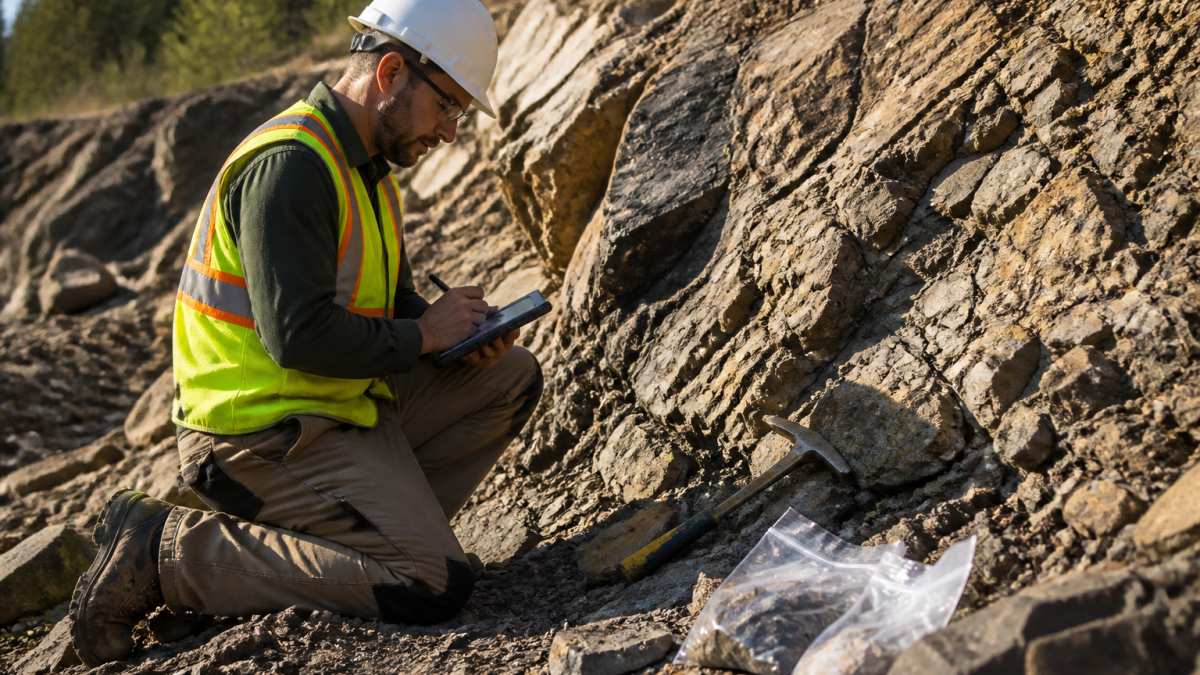
Paper notes and phone photos work until they don't: the notebook gets rained on, the photo loses its location tag, and the sample number doesn't match the bag.
What to require:
- GPS-tagged sample records created in the field
- Photo capture linked to a waypoint or sample ID
- Custom fields for lithology, alteration, and sample type
The best field app is the one your least tech-comfortable geologist will actually use. Test adoption on the grumpiest member of the crew before you roll it out.
Mineral Exploration Data Management Software: Reporting, Compliance, and Handoffs
Mineral exploration data management software organizes, stores, and exports a project's technical records so reporting and handoffs don't depend on one person's laptop. Compliance workflows live or die on traceability, and traceability is where most platforms are thinnest.
Consider the handoff scenario: a project geologist leaves and a new one inherits the property. In a well-structured platform, the new geologist reads the history in an afternoon; in a folder of files named "final_v3_REAL," the property effectively resets.
Exploration-Specific Compliance Workflows
Generic data-management tools stop at file storage. Exploration teams need workflows that follow the sample and the site:
- Sample chain of custody, Every sample should carry a record of who collected it, when, where, and who handled it next, through assay submission and return. Ask to see a single sample's full history in one view.
- Permits and land status, Permit conditions, expiry dates, and land-status changes should be linked to the site record, not kept in a separate spreadsheet.
- Environmental monitoring, Water, soil, and baseline monitoring records need timestamps, locations, and consistent units so they can be compared across seasons.
Compliance requirements for exploration work depend on jurisdiction, land status, and the nature of the operation, so confirm current obligations with the relevant agency rather than assuming. The U.S. Geological Survey's mineral resources program is a useful starting point for understanding how mineral data is documented and shared nationally, and the Bureau of Land Management's mining claims program publishes the federal rules and records that govern claim location and maintenance on public lands.
Reporting by Audience
| Audience | What They Need | Frequency |
|---|---|---|
| Internal team | Sample results, activity logs, chain-of-custody status | Weekly |
| Client or investor | Progress summaries, claim status, budget versus actual | Monthly or per milestone |
| Regulators | Assessment records, location documentation, environmental monitoring | Per statutory deadline |
Data Analysis and Handoff Features to Insist On
- Exportable datasets in standard formats, with raw field data separated from interpreted results
- An audit trail that survives export, not just inside the app
- Version history that shows how interpretations changed over time
That separation makes a handoff clean: a new geologist should be able to read the property's history, see every sample's chain of custody, and confirm permit status without chasing anyone.
Comparison Table and Buying Criteria for Exploration Teams
Most buying guides hand you a feature checklist and call it a framework. That's not enough for a team coordinating multiple exploration sites, because the failure modes are operational, not feature-based. Use the scoring table below during a trial, but weight criteria against your biggest pain point rather than averaging them.
| Criterion | What Good Looks Like | Why It Matters | Suggested Weight |
|---|---|---|---|
| Multi-site dashboard | All claims on one map with status filters and drill-down | Portfolio visibility at a glance | High |
| Offline operation | Full map and form use with no signal, clean conflict-aware sync | Remote-area reliability | High |
| Claim boundary accuracy | Polygons aligned to official records with status and renewal fields | Prevents sampling the wrong ground | High |
| Field data capture | GPS-tagged samples, photos, and custom lithology fields | Clean records, no re-entry | High |
| Historical context | Geology, district records, and past workings included | Better target selection | Medium |
| Reporting and export | Standard formats with audit trail and raw/interpreted separation | Compliance and handoffs | Medium |
| Deployment and security | Role-based access, SSO, data residency options, export rights | Protects client and confidential data | Medium |
| Integrations | GIS imports, assay lab feeds, accounting and scheduling hooks | Avoids duplicate entry across systems | Medium |
| Scalability | Adds sites and users without re-architecture or per-seat cliffs | Cost control as the portfolio grows | Medium |
| Total cost of ownership | Predictable pricing, not per-map or per-analysis | Budget certainty across many prospects | High |
Industry-Specific Evaluation Framework
Generic tool-management and IT-management listings dominate search results, but exploration teams need criteria that reflect how field programs actually run. A practical framework has four layers:
- Portfolio layer, Can you compare site progress, staffing, equipment, budgets, and operational risk from one dashboard? Ask for a side-by-side view of at least three properties, not a single-site demo.
- Field layer, Does the mobile app capture samples, photos, waypoints, and observations offline, and does it flag sync conflicts instead of overwriting? Test with two devices editing the same site in airplane mode.
- Records layer, Are sample chain of custody, field observations, permits, environmental monitoring, and audit trails stored in a structured, exportable form? Ask to see the audit log for a single sample from collection to report.
- Governance layer, Who can see which client's data? Can you set role-based access, export raw data, and meet data residency expectations? Consultants managing multiple clients should treat this as a gating criterion.
Deployment, Security, and Integration Questions
- Deployment: Is it cloud-only, or can parts run on local hardware for low-bandwidth camps? What is the onboarding effort in hours, not marketing language?
- Security: Does it support single sign-on, role-based permissions, and encrypted storage? Can you export everything if you leave?
- Integrations: Does it accept GIS imports without a specialist, connect to assay lab feeds, and push data to accounting or scheduling tools? Every manual re-entry is a place errors enter.
Total Cost of Ownership
Entry pricing is the least useful number in the evaluation. Build a three-year total cost of ownership model that includes:
- Subscription or license fees at your realistic site and user count
- Hardware: rugged tablets, GPS units, and spare batteries for field crews
- Training time for the least tech-comfortable geologist on the crew
A common pattern is that per-map or per-analysis charges compound quickly across dozens of prospects, while per-seat pricing punishes seasonal crews. Ask vendors to quote total cost of ownership across your whole portfolio, not the entry price. dirtClaude.ai publishes its pricing on the website and offers a free trial.
Score offline capability, multi-site visibility, and total cost of ownership first. If a platform fails any of the three, the rest of the feature list will not rescue it.
Conclusion
The real challenge isn't finding software with a long feature list. It's finding a platform that holds up when your team is split across four districts, the signal drops, and a client asks for a status report by Friday.
That's the problem dirtClaude.ai was built to solve.
Start with the free trial and run your own portfolio through it. Get started with dirtClaude.ai and see every site, every claim, and every district in one place.
Frequently Asked Questions
What software is best for managing multiple mining exploration sites?
The best fit depends on whether you need claim tracking, mapping, field data capture, or all three in one place. Look for a cloud-based platform that shows every exploration site on a single dashboard, handles claim boundaries and status, and works offline in remote areas. dirtClaude.ai combines 150 years of geology, claims, and gold records with AI-driven prospecting maps, so you can review multiple sites and claim areas without switching between tools. Check the pricing page for current plan details and free trial options.
Can mining claim management software show claim boundaries on a map?
Yes. Claim boundary overlays are a core feature of mining claim management software. The map should display claim polygons alongside geology and historical records so you can see where open ground sits relative to existing claims. This matters when you run several exploration sites at once, because a boundary error on one property can affect drilling plans on another. Confirm the software updates claim data regularly and lets you export or print boundary maps for field use.
How can teams track field data across multiple exploration sites?
Field data collection software for mining lets crews log samples, photos, and notes on a phone or tablet, then sync everything to one central record when they regain signal. Assign each entry to a specific site and claim so nothing gets mixed up. Set a consistent naming convention before the season starts, and review the synced data weekly rather than at the end of a program. That way, gaps get caught while crews are still on site instead of after they have moved to the next property.
What should I expect to pay for exploration site management software?
Pricing structures vary widely. Some providers charge per map or per analysis, which adds up fast when you are running dozens of prospects. Others offer tiered subscriptions with a free trial so you can test the workflow before committing. dirtClaude.ai publishes its pricing on its website, with flexible options for casual or extended use, so both weekend prospectors and professional teams can find a fit. Compare the total cost across a full season, not just the monthly rate.